PC Guide 2026
How to Watch YouTube Ad-Free on PC in 2026
Listen to This Guide
Audio version of the complete PC ad-free YouTube guide
Table of Contents
- Executive Summary: Best Way to Watch YouTube Without Ads on PC
- Quick-Start Cheat Sheet
- Is There a ReVanced for PC? The Short Answer
- What Changed in 2026? Manifest V3, SSAI, and the Ad-Blocker Arms Race
- How YouTube’s Ad-Block Detection Actually Works (The Three-Layer System)
- The Truth About ReVanced and PC: Is There a Native ReVanced for Windows or Mac?
- Method 1: Browser Extensions — Best Free YouTube Ad Blocker for Chrome & Firefox
- Method 2: FreeTube — Best Standalone YouTube App for Windows, macOS & Linux
- Method 3: Privacy Front-Ends — Best Web-Based YouTube Alternative
- Method 4: Brave Browser — Best Zero-Config Ad-Free Browser
- Method 5: Userscripts — Best for Power Users Who Want Deep Customization
- Method 6: Media Players — Best for Minimalist, Distraction-Free Viewing
- Method 7: Network-Level Blocking — Best for Whole-House Ad Filtering
- Method 8: ReVanced via Android Emulator — ReVanced PC Download for Windows 10 & 11
- Method 9: YouTube Premium — Official Route to Watch YouTube Ad-Free Without Blockers
- How to Support Creators While Blocking Ads
- Methods That No Longer Work in 2026
- Quick Comparison: Which Method Is Right for You?
- Community-Tested: What’s Actually Working Right Now (August 2026)
- YouTube Ad Blocker Not Working? 2026 Troubleshooting Guide
- Frequently Asked Questions (FAQ)
- Final Thoughts: YouTube Premium vs Ad Blocker — Which Should You Choose?
- About the Author
- Related Guides
- Further Reading & Community Resources
- Tags
Executive Summary: Best Way to Watch YouTube Without Ads on PC

If you want to watch YouTube without ads on PC in 2026, you have nine viable paths. For most users, browser extensions (uBlock Origin Lite, SponsorBlock, and Return YouTube Dislike) offer the fastest, lightest, and most stable solution. If you prefer a standalone YouTube app for Windows, FreeTube is the best open-source choice. Brave Browser blocks YouTube ads out of the box with zero configuration. If you specifically need the ReVanced app on desktop, you must use an Android emulator such as BlueStacks or LDPlayer — there is no native ReVanced for PC. Finally, YouTube Premium remains the only official, Terms-of-Service-compliant method.
Many readers arrive here asking how to get the dislike count back on YouTube in 2026, how to skip sponsors on YouTube PC, or whether they can watch YouTube ad-free without Premium. This guide answers all of those questions with real, tested solutions. If you are looking for a YouTube ad blocker bypass 2026 or a ReVanced patching guide for beginners, you will find step-by-step instructions below. We also cover whether YouTube Premium is worth it in 2026 compared to free alternatives, and which method is truly the best browser for YouTube without ads. For those specifically searching for browser extensions YouTube 2026 solutions or the best free YouTube ad blocker Chrome 2026, Method 1 below is your answer. If you need a YouTube client Windows macOS Linux that works everywhere, FreeTube delivers. And if you want to watch YouTube ad free without Premium, every free method in this guide makes that possible.
Quick-Start Cheat Sheet
| I want… | Use this | Cost | Time |
|---|---|---|---|
| Zero setup, watch now | Brave Browser | Free | 2 min |
| Maximum blocking power | Firefox + uBlock Origin | Free | 3 min |
| No browser, privacy-first | FreeTube | Free | 5 min |
| No installation, any device | Invidious / Piped | Free | 1 min |
| Deep customization | Tampermonkey userscripts | Free | 10 min |
| Minimalist, no browser | VLC / MPV + yt-dlp | Free | 5 min |
| Whole-house blocking | AdGuard Home / Pi-hole | Free* | 30 min |
| ReVanced on big screen | LDPlayer + ReVanced | Free | 20 min |
| Guaranteed, future-proof | YouTube Premium | $15.99/mo | 1 min |
Is There a ReVanced for PC? The Short Answer
No. ReVanced is an Android-only application. There is no ReVanced for iOS, and no native Windows, macOS, or Linux version. To use ReVanced on PC, you must run it inside an Android emulator like BlueStacks or LDPlayer, or use Windows Subsystem for Android (WSA) on Windows 11. If you are searching for a ReVanced PC download for Windows 10, you will only find the Android APK, not a native installer. The only way to install ReVanced on PC without an emulator is via WSA on Windows 11, and even that is limited by region.
What Changed in 2026? Manifest V3, SSAI, and the Ad-Blocker Arms Race

Before choosing a method, understand the landscape shifts that defined 2026. The YouTube anti-adblock timeline has been accelerating, with major waves hitting in 2023, 2024, 2025, and now 2026.
Google Chrome Killed Manifest V2 (MV2)
On July 24, 2025, Google Chrome 138 disabled all Manifest V2 extensions, including the original uBlock Origin developed by Raymond Hill (gorhill). By July 28, 2026, Chrome 151 deleted the remaining MV2 machinery. The Chrome Web Store will remove all MV2 listings on August 31, 2026 — a hard deadline that means the Chrome Web Store MV2 removal of August 2026 is now imminent. The Chrome 151 MV2 deleted milestone means no flag, policy, or command line can restore MV2 functionality. Chrome users must now rely on uBlock Origin Lite (Manifest V3), which uses the declarativeNetRequest API instead of the legacy webRequest API. Understanding the declarativeNetRequest API vs webRequest difference matters: webRequest allowed extensions to intercept and modify requests in real time, while declarativeNetRequest uses a pre-defined rule set that Chrome reviews before applying. Firefox remains the last major browser that supports the full uBlock Origin with the Firefox uBlock Origin webRequest API intact.
The MV3 Myth vs. Reality
A February 2026 study published in Proceedings on Privacy Enhancing Technologies tested core ad-blocking effectiveness across a 924-site sample. The result: no statistically significant drop in blocking effectiveness for typical users after the MV3 transition. The caveat: power users lost some advanced cosmetic filtering capabilities. Translation: For watching YouTube, MV3 blockers still work. You are not doomed — you just have fewer customization options than before. This MV3 ad blocking study from 2026 is worth citing whenever someone claims ad blocking is dead on Chrome.
Server-Side Ad Insertion (SSAI) Is Coming
YouTube has been testing Server-Side Ad Insertion (SSAI), which stitches ads directly into video streams on Google’s servers. If rolled out broadly (estimated within 6–12 months per the YouTube SSAI rollout timeline), this could bypass client-side blockers entirely. No desktop method is fully future-proof against SSAI except YouTube Premium. A server-side ad insertion bypass may eventually become impossible without paying for Premium.
YouTube Began Blocking Comments for Some Ad-Block Users
New in 2026: YouTube began blocking comments and video descriptions for some ad-block users — even those who paid for YouTube Premium but had a blocker active on another device or browser. An Android Authority survey found that most users were unaffected, but the move signals YouTube’s increasing willingness to restrict platform features beyond just video playback. If your YouTube comments are blocked by your ad blocker, disabling the blocker or switching methods may restore access.
The Arms Race: A Timeline
| Date | Event | Effect on Blockers |
|---|---|---|
| May 2023 | YouTube begins anti-adblock warnings on select accounts | First wave; most blockers recover in days |
| Oct–Nov 2023 | YouTube scales enforcement globally — three-strike policy | Major disruption; several smaller extensions never recover |
| Jan 2024 | YouTube rotates ad serving infrastructure | uBlock Origin scriptlets require emergency patch |
| June 2025 | YouTube’s most significant anti-adblock update to date; YouTube player API restructured | Player API restructured; most scriptlet-based blockers broken for 1–4 weeks |
| July 24, 2025 | Chrome 138 disables all MV2 extensions on stable | Full uBlock Origin stops running for every stable-channel Chrome user |
| Early 2026 | YouTube SSAI limited testing begins | No immediate impact; signals long-term trajectory |
| June 30, 2026 | Chrome 150 removes first MV2 developer escape-hatch | Last unofficial re-enable paths begin closing |
| July 28, 2026 | Chrome 151 deletes remaining MV2 machinery | No flag, policy, or command line brings MV2 back |
| August 31, 2026 | Chrome Web Store removes all remaining MV2 listings | uBlock Origin’s listing disappears from the store |
If your YouTube ad blocker stopped working in 2026, or you are wondering why your ad blocker is not working on YouTube, check this timeline first. The most common cause is the uBlock Origin not working on Chrome in 2026 issue due to the MV3 transition. The ad blocker detected three strike policy YouTube enforced in late 2023 meant that repeated detection could trigger escalating warnings, though mass account bans never materialized. The YouTube anti adblock waves 2023 2024 2025 2026 show an accelerating pattern of enforcement that makes understanding your options essential.
How YouTube’s Ad-Block Detection Actually Works (The Three-Layer System)
Understanding how YouTube detects ad blockers is essential if you want to stay ahead of enforcement. YouTube ad block detection is not a single pop-up — it is a layered system that checks for interference at three levels:
| Layer | How It Works | What It Catches |
|---|---|---|
| 1. DOM / Bait-Element Detection | YouTube plants invisible “bait” ad containers on the page. JavaScript checks if these elements were hidden or removed. If missing, it flags your session. | Cosmetic-only blockers, outdated filter lists; caught by bait element detection |
| 2. Network / Request Detection | YouTube attempts to load known ad scripts and tracking pixels. If the request is blocked before reaching its server, detection triggers. | DNS-only blockers, strict VPN filters; caught by network request detection |
| 3. Playback Behavior Detection | YouTube checks for timing anomalies: ad slots that loaded but were never played, discrepancies between what the player reports and what actually happened, and player-state mismatches. | Reactive blockers that suppress ads after they load; caught by playback behavior detection |
Preventive vs reactive ad blocking: Preventive blockers (like uBlock Origin Lite and dedicated engines) strip ad data before the player reads it, leaving no fingerprints. Reactive blockers that let ads load and then hide them are the ones getting caught. Understanding preventive vs reactive ad blocking is key to choosing a method that survives detection.
Server-Side Ad Insertion (SSAI): YouTube is testing SSAI, which stitches ads directly into the video stream before delivery. When fully deployed, the ad and content arrive under the same CDN address SSAI in the same transport stream SSAI — making client side detection impossible SSAI without server-side cooperation. The video stream ad stitching happens via Google server ad insertion before the stream ever reaches your device. As of July 2026, SSAI is in limited testing with broad rollout estimated at 6–12 months.
The Truth About ReVanced and PC: Is There a Native ReVanced for Windows or Mac?
Let’s clear this up immediately: ReVanced does not have a native PC version. It is an Android application. There is no .exe installer for Windows, no .dmg for macOS, and no Linux binary. The ReVanced Android-only truth is that it was built specifically for Android devices, and anyone claiming otherwise is misinformed. There is no exe dmg Linux binary — period.
If you want ReVanced-style features on your PC, you have two paths ReVanced PC users can take:
- Use a native PC alternative (browser extensions, FreeTube, or Brave Browser) — these give you ad-blocking, SponsorBlock, and dislike counts without emulation. For desktop users, emulation unnecessary desktop users should note that native tools outperform emulated ones.
- Run the Android ReVanced APK inside an emulator — this works, but it is heavier on system resources and generally unnecessary for desktop users.
This guide covers honest coverage both paths transparently, starting with the methods that actually make sense for PC users. For the simplest fastest stable method 90% users should choose, browser extensions win hands down. They deliver ad blocking sponsor skipping dislike restoration in one lightweight package with no extra software needed extensions beyond what you already have.
Method 1: Browser Extensions — Best Free YouTube Ad Blocker for Chrome & Firefox
Best for: Most PC users who want a lightweight, instant solution.
Setup time: ~2 minutes.
For 90% of PC users, browser extensions for YouTube in 2026 are the simplest, fastest, and most stable way to get a ReVanced-like experience on desktop. You get ad-blocking, sponsor segment skipping, and dislike count restoration — all without installing extra software. If you are looking for the best free YouTube ad blocker for Chrome in 2026, or a reliable YouTube ad blocker Chrome extension, this is your answer. Firefox users also have excellent options through the YouTube ad blocker Firefox ecosystem.
What You Need
| Extension | What It Does | Chrome | Firefox | Safari |
|---|---|---|---|---|
| uBlock Origin Lite | Blocks YouTube ads and trackers | ✅ | ✅ | ❌ |
| SponsorBlock | Skips sponsored segments, intros, and outros | ✅ | ✅ | ❌ |
| Return YouTube Dislike | Restores the dislike count | ✅ | ✅ | ❌ |
Note: uBlock Origin (the original Manifest V2 version) was removed from the Chrome Web Store in 2026. Use uBlock Origin Lite (Manifest V3) on Chrome instead. Firefox users can still run the original uBlock Origin. Safari ad blocker YouTube options are currently limited because Apple’s extension framework lacks the webRequest API, making native blocking far less effective than on Firefox or Chrome.
How to Set It Up
- Install uBlock Origin Lite from the Chrome Web Store uBOL listing or Firefox Add-ons uBlock Origin for the full version.
- Install SponsorBlock and Return YouTube Dislike from the same stores — the standard SponsorBlock extension install and Return YouTube Dislike extension install take under 30 seconds each.
- Open YouTube in your browser. Ads and sponsors are now blocked automatically — browser open ads blocked automatically with zero configuration.
Why This Beats Emulation
Zero CPU overhead, no virtual machine, no Google account required inside an emulator, and it works instantly across all your devices with the same browser. This is the best way to skip sponsors on YouTube PC without heavy resource use. With Google account optional usage and instant cross-device syncing via your browser profile, extensions offer the most convenient path. For lightweight instant ad blocking, nothing beats a browser extension. You get CPU overhead zero extensions performance with no virtual machine browser overhead, and Google account optional browser flexibility. It beats emulation zero overhead every time.
Pro Tip for Firefox Users
Because Firefox still supports the full webRequest API, you can install the original uBlock Origin (not Lite) with its complete filter list (~300K+ rules vs. uBOL’s ~17K default). This offers superior blocking depth until SSAI arrives. Firefox’s cosmetic filtering capabilities also remain more robust than Chrome’s MV3 equivalents. The Firefox webRequest API advantage gives users complete filter list 300K rules power and superior blocking depth Firefox enthusiasts rely on. A 2026 benchmark of Manifest V3 blockers revealed that rule count is a misleading metric — SuperchargePerformance DNR rules 195K in size performed comparably to blockers shipping millions of rules, proving that technique matters more than volume.
Understanding Filter List Rules
Your ad blocker’s power comes from its filter list rules. uBlock Origin maintains thousands of rules that tell the extension exactly which scripts, domains, and page elements to block on YouTube. When filter list update frequency is set correctly — as of uBlock Origin v1.54.0, the default auto-update period is 1 hour on Firefox — your blocker stays current against YouTube’s latest detection scripts.
Method 2: FreeTube — Best Standalone YouTube App for Windows, macOS & Linux
Best for: Privacy-first users who want a desktop-native experience without a browser.
Setup time: ~5 minutes.
FreeTube is an open-source, privacy-focused YouTube client for Windows, macOS, and Linux. It requires no Google account, runs natively on your PC, and blocks ads by default using the same backend logic as browser extensions. Licensed under AGPLv3, FreeTube uses the Invidious API or a local extractor to fetch content. If you need a privacy-focused YouTube desktop app that is a true standalone app with no browser required, FreeTube is the answer.
Key Features
- Native desktop app — no browser, no emulator needed. A true native desktop app FreeTube experience.
- Ad-free playback by default — ad free playback default with no configuration.
- SponsorBlock integration built-in — SponsorBlock integration built in for automatic sponsor skipping.
- No Google sign-in required — subscriptions are stored locally. No Google sign in FreeTube means your data stays yours.
- Proxy support for additional privacy layers — proxy support privacy layers for advanced users.
- Clean local experience with no tracking — a clean local experience by design.
How to Install
- Visit FreeTube and download the FreeTube installer for Windows, macOS, or Linux. The FreeTube installer Windows macOS Linux packages are available for all major platforms.
- Run the installer and launch FreeTube. The FreeTube installer download launch process takes under two minutes.
- Import your subscriptions or search for content directly within the app. You can import subscriptions FreeTube from YouTube CSV exports, or search content directly FreeTube without any account.
Limitations
FreeTube cannot access your YouTube watch history or playlists tied to a Google account. It is designed for privacy first users FreeTube who want a clean, local experience. This synced history limitation means if you rely heavily on YouTube’s recommendation algorithm, you may prefer browser extensions or Premium instead.
FreeTube vs NewPipe vs ReVanced: What’s the Difference?
| FreeTube | NewPipe | ReVanced | |
|---|---|---|---|
| Platform | Desktop (Win/Mac/Linux) | Android only | Android only |
| Google Account | Not needed | Not needed | Optional (via microG) |
| Ad Blocking | Built-in | Built-in | Patched in |
| SponsorBlock | Built-in | Via fork | Patched in |
| YouTube API | Invidious / Local extractor | NewPipe extractor | Official YouTube app |
| Best For | Privacy-first desktop users | Lightweight Android alternative | Users who want the real YouTube app with mods |
Community consensus: “ReVanced = YouTube with mods. NewPipe = YouTube alternative.” For the full FreeTube vs NewPipe comparison, desktop users should choose FreeTube; for Android, the ReVanced vs NewPipe debate depends on whether you want the official YouTube interface (ReVanced) or a lightweight alternative (NewPipe).
Method 3: Privacy Front-Ends — Best Web-Based YouTube Alternative
Best for: Users who want a lightweight, no-installation way to watch YouTube without ads.
Setup time: ~1 minute.
Privacy front-ends are lightweight alternative interfaces to YouTube that you use in your regular browser. They fetch YouTube content through intermediary servers, stripping ads and tracking before the page ever reaches your screen. Because they run entirely in your browser, they work on any device with an internet connection — Windows, macOS, Linux, and even mobile.
Key Services
| Service | What It Is |
|---|---|
| Invidious | Open-source YouTube front-end. No ads, no tracking. You can self-host or use public instances. |
| Piped | Similar to Invidious but with a more modern UI. Also supports subscriptions without a Google account. |
How to Use
- Visit a public instance in your browser — for example,
y.com.sb(Invidious) orpiped.video(Piped). - Search for content or paste a YouTube URL directly into the search bar.
- Watch normally. Ads are stripped server-side before the stream reaches you.
Note: Because these services act as proxies, video load times depend on the instance’s server load and geographic location. If one instance is slow, try another from the community-maintained lists.
Pros & Cons
Pros: Works on any device with a browser, no installation required, no Google account needed, subscriptions can be imported or managed locally.
Cons: Public instances can be slow or go down without warning; some features (like comments, live chat, or community posts) may be limited or unavailable depending on the instance.
Method 4: Brave Browser — Best Zero-Config Ad-Free Browser
Best for: Users who want the simplest one-step solution.
Setup time: ~5 minutes.

If you want the simplest one-step solution, Brave Browser blocks YouTube ads out of the box. It is built on Chromium, so it feels identical to Chrome, but with built-in ad and tracker blocking. Brave is the ultimate zero-config ad-free browser for users who do not want to manage extensions. As a Chromium based browser ad block solution, it delivers the familiar Chromium identical Chrome feel without Google’s restrictions.
What You Get
- Built-in ad blocker (no extensions needed) — a true built in ad blocker browser.
- Background playback on mobile (Brave for Android/iOS) — enabling background playback YouTube PC users want via desktop continuation features.
- Optional Brave Rewards system — the Brave Rewards system lets you support creators directly.
- Cross-platform sync for a seamless cross-platform sync YouTube ad-free experience across all your devices.
How to Set It Up
- Download Brave from brave.com.
- Open YouTube. Ads are blocked automatically.
- For sponsor skipping and dislike counts, install the SponsorBlock and Return YouTube Dislike extensions inside Brave. The sponsor skip dislike extensions Brave combination gives you full ReVanced-like functionality.
Trade-offs
Brave’s ad blocker is robust for pre-roll ads — robust pre roll ads Brave handles these seamlessly — but it does not skip in-video sponsor segments without the SponsorBlock extension. This is the key trade off Brave sponsor segments users should understand: standard ads vanish, but creators’ sponsored segments remain unless you add SponsorBlock. As a Chromium-based browser with ad block, Brave offers the familiar Chrome feel without Google’s restrictions. For Brave for Android iOS background playback, mobile users get audio continuation that desktop users can approximate with system-level controls.
Method 5: Userscripts — Best for Power Users Who Want Deep Customization
Best for: Technical users who want granular control over YouTube’s layout, behavior, and ad delivery.
Setup time: ~10 minutes.
For power users who want customization beyond what standard extensions offer, userscripts run inside a userscript manager like Tampermonkey or Violentmonkey and can modify YouTube’s page code directly. These scripts can force theater mode, auto-skip ads, change layouts, restore old UI elements, and inject custom CSS.
What You Need
| Tool | What It Does |
|---|---|
| Tampermonkey | The most popular userscript manager. Available for Chrome, Firefox, Edge, and Safari. |
| Violentmonkey | A lightweight, open-source alternative with strong privacy defaults. |
| YouTube Enhancer (userscript) | Forces theater mode, auto-skips ads, enables custom speed controls, and more. |
How to Set It Up
- Install Tampermonkey or Violentmonkey from your browser’s extension store.
- Visit a trusted userscript repository (e.g., GreasyFork) and search for “YouTube Enhancer” or “YouTube Ad Blocker.”
- Click Install on the script page. The userscript manager will handle the rest.
- Open YouTube. The script runs automatically on every
youtube.compage load.
Pros & Cons
Pros: Extremely customizable — you can tweak nearly every visual and behavioral element of YouTube. Scripts are often updated within hours of YouTube UI changes.
Cons: Requires more setup than extensions; scripts can break when YouTube updates its code or A/B tests new layouts; poorly written scripts may slow down page performance.
Method 6: Media Players — Best for Minimalist, distraction-free Viewing
Best for: Users who want to watch specific videos without opening a browser at all.
Setup time: ~5 minutes.
You can stream YouTube videos directly through desktop media players, bypassing the website entirely. This method uses direct stream extraction to play video and audio without loading YouTube’s web interface — which means no ads, no trackers, and no recommended-video rabbit holes.
Key Tools
| Tool | How It Works |
|---|---|
| VLC Media Player | File → Open Network Stream → paste YouTube URL. Plays without ads using VLC’s built-in network streaming. |
| MPV + yt-dlp | Command-line player that streams YouTube directly via yt-dlp. Zero ads, minimal resource use, and support for advanced audio/video filters. |
How to Set It Up
VLC:
1. Open VLC Media Player.
2. Go to Media → Open Network Stream (or press Ctrl + N).
3. Paste the YouTube video URL and click Play.
MPV + yt-dlp:
1. Install yt-dlp and mpv via your package manager or from their official sites.
2. Run: mpv "https://youtube.com/watch?v=VIDEO_ID"
3. The stream opens instantly in MPV’s minimal interface.
Pros & Cons
Pros: No browser overhead, no ads, extremely lightweight on CPU and RAM, ideal for background listening or focused viewing.
Cons: No comments, no recommendations, no subscriptions, and no playlist sync. Best for watching specific videos only, not for browsing or discovery.
Method 7: Network-Level Blocking — Best for Whole-House Ad Filtering
Best for: Users who want to block ads across every device on their home network with a single configuration.
Setup time: ~30 minutes.
Network-level blockers like AdGuard Home and Pi-hole operate at the DNS level, intercepting ad-serving domains before any device on your network can reach them. They work for smart TVs, phones, tablets, and PCs simultaneously — no per-device setup required.
How It Works
These tools run as a local DNS server (usually on a Raspberry Pi, NAS, or always-on PC). When any device on your network requests a known ad domain, the DNS server returns a null address, preventing the ad from loading.
Key Tools
| Tool | Best For | Notes |
|---|---|---|
| AdGuard Home | Ease of use | Modern web UI, built-in parental controls, encrypted DNS support (DoH/DoT). |
| Pi-hole | Customization | Mature community, extensive blocklists, runs on minimal hardware (Raspberry Pi Zero 2 W is sufficient). |
Important Caveat for YouTube
YouTube ads are often served from the same domains as the videos themselves (googlevideo.com). Because DNS blockers can only block at the domain level, they frequently fail to stop in-video YouTube ads without also breaking video playback. They work excellently for banner ads, trackers, and non-YouTube sites, but for in-video ads on YouTube, browser extensions are still required.
How to Set It Up
- Install AdGuard Home or Pi-hole on a Raspberry Pi, NAS, or dedicated mini-PC.
- Point your router’s DNS settings to the blocker’s IP address.
- Alternatively, configure individual devices to use the blocker’s DNS.
- Add curated blocklists (e.g., StevenBlack, OISD) for comprehensive coverage.
Pros & Cons
Pros: Blocks ads for every device on your network with zero per-device software; reduces bandwidth usage; adds privacy by blocking trackers network-wide.
Cons: YouTube in-video ads often bypass DNS blocking because they share domains with content; requires some networking knowledge; needs always-on hardware.
Method 8: ReVanced via Android Emulator — ReVanced PC Download for Windows 10 & 11
Best for: Users who specifically want the ReVanced Android interface on a large screen.
Setup time: ~20 minutes.
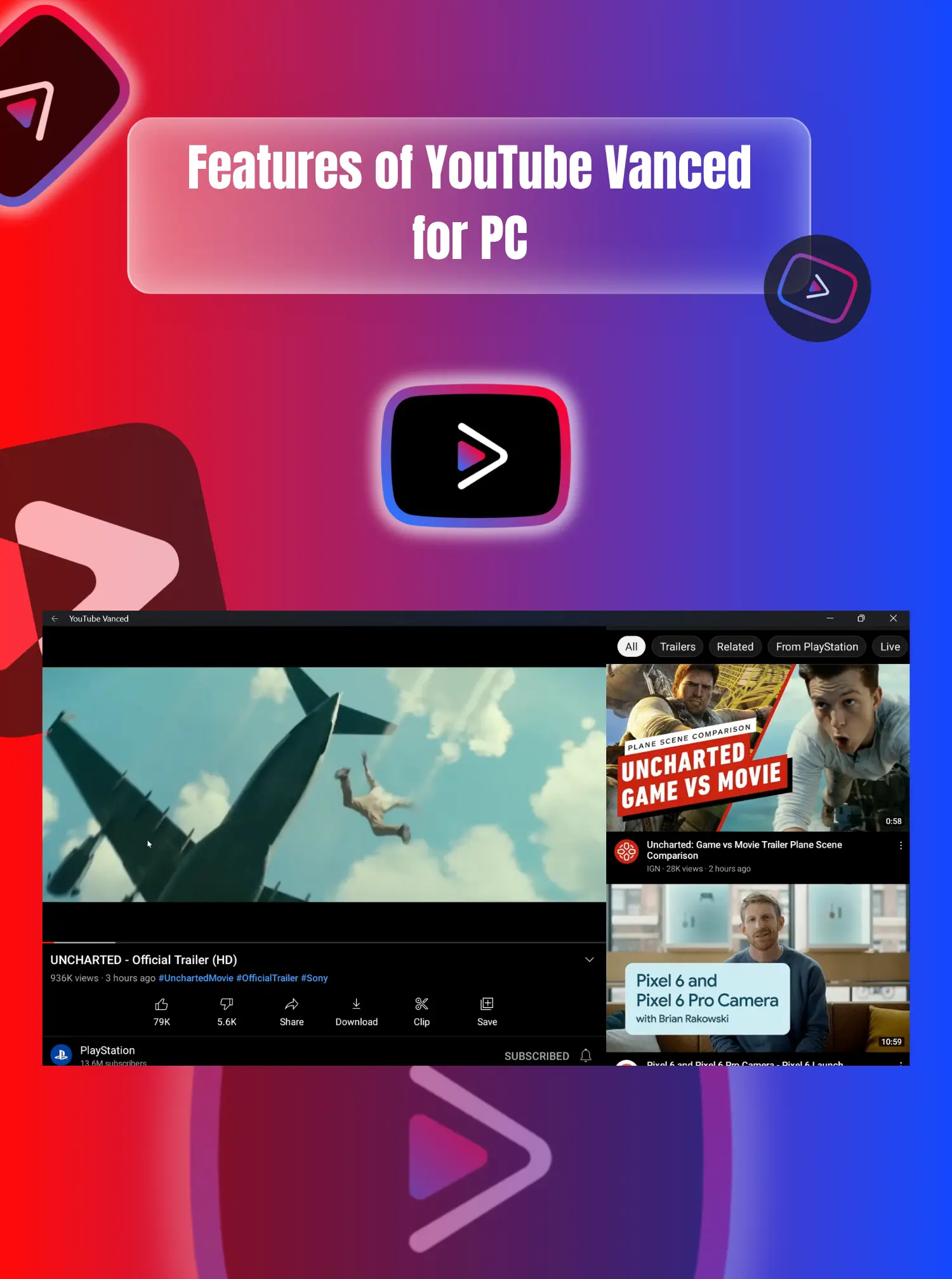
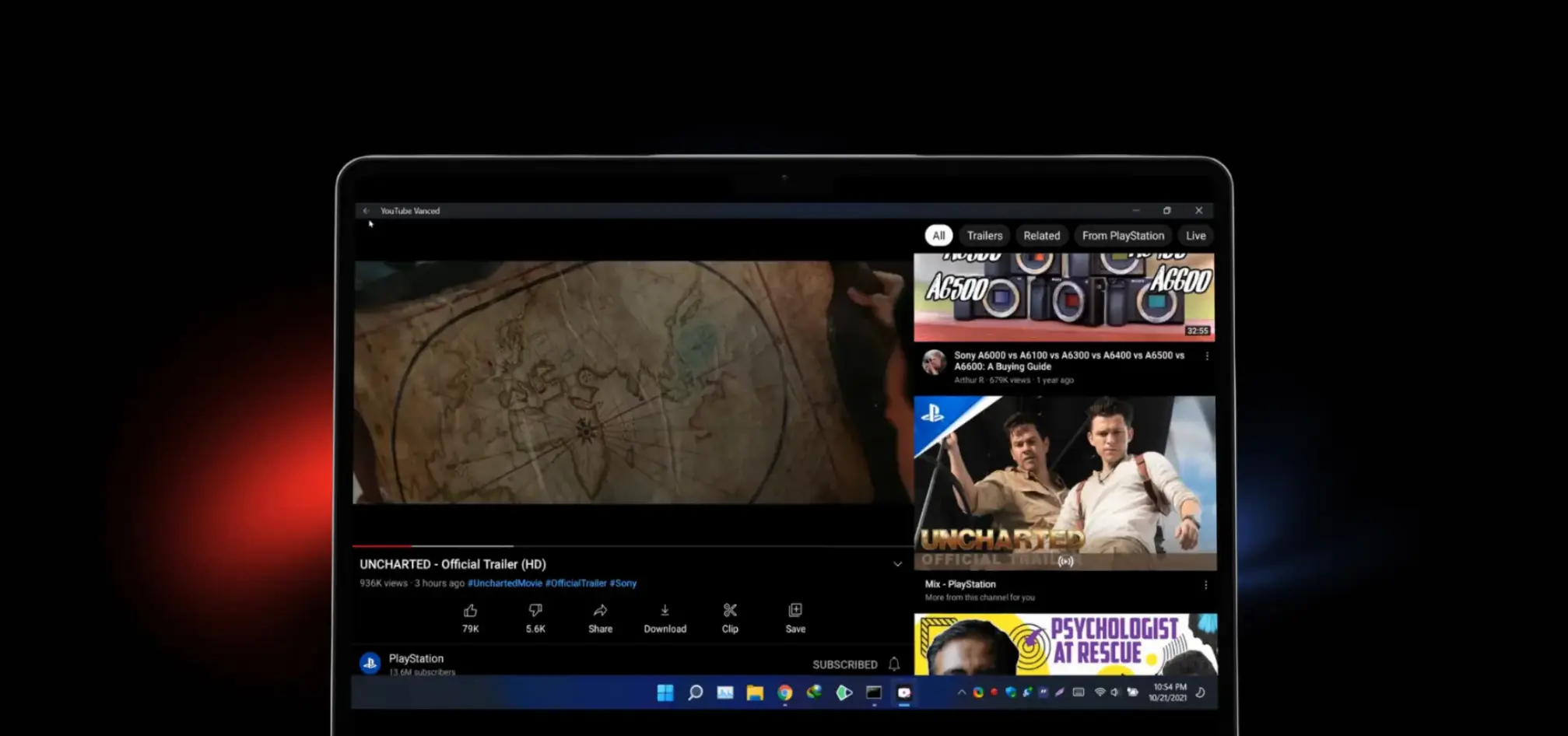
If you specifically want the ReVanced app running on your PC — perhaps to test patches or because you prefer the mobile interface on a large screen — you can run it inside an Android emulator. This is the definitive ReVanced emulator setup guide for 2026.
Important: This is not a “ReVanced for PC.” It is the Android APK running inside a virtual Android device on your computer. Expect higher resource usage than native methods. For an Android emulator large screen experience, you are essentially running a full Android APK virtual device on your desktop.
System Requirements
| Component | Minimum | Recommended |
|---|---|---|
| OS | Windows 10 / macOS 11 / Linux | Windows 11 with WSA or latest macOS |
| CPU | Intel/AMD 1 GHz | 4+ cores with virtualization enabled |
| RAM | 4 GB | 8 GB |
| Storage | 10 GB free | SSD with 20 GB free |
| GPU | Integrated | Dedicated with updated drivers |
Enable virtualization: Intel VT-x or AMD-V must be enabled in your BIOS/UEFI for smooth emulation. The Intel VT x AMD V BIOS requirement is non-negotiable — without it, emulators crawl.
Recommended Emulators
| Emulator | Best For | Notes |
|---|---|---|
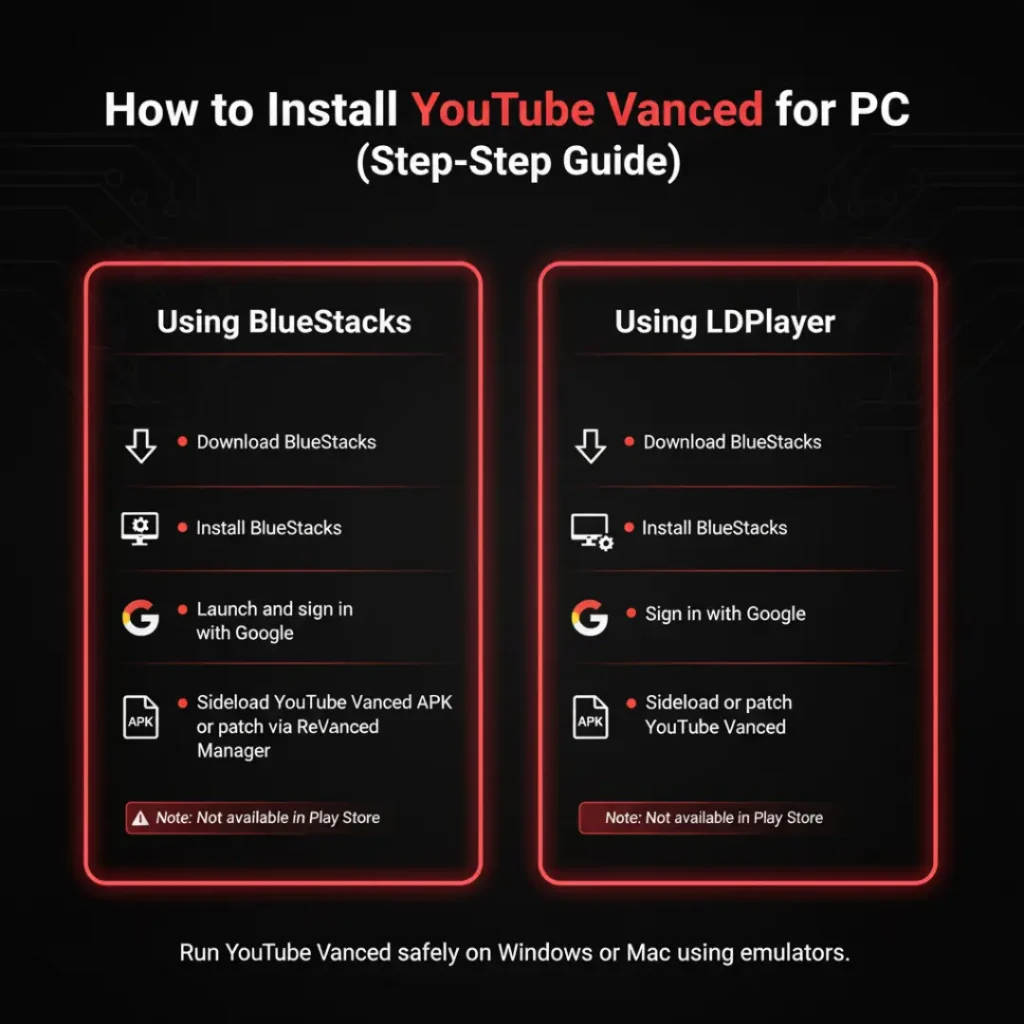
| BlueStacks | Beginners | User-friendly, higher resource use; a solid BlueStacks ReVanced choice and the most user friendly emulator BlueStacks for newcomers |
| LDPlayer | Performance | Lightweight, gaming-optimized; generally the most resource-efficient for LDPlayer ReVanced setups and the lightweight gaming optimized LDPlayer option |
| NoxPlayer | Advanced users | Macro scripting, root access; the macro scripting root NoxPlayer for power users |

Installation Steps
- Download an emulator from its official site and install it.
- Enable virtualization in your BIOS if you haven’t already. Intel VT-x / AMD-V virtualization is mandatory — this emulator BIOS virtualization enable step is critical.
- Sign in with a Google account inside the emulator (use a secondary Google account for ReVanced safety). The emulator Google account sign in secondary account protects your primary profile.
- Download ReVanced Manager from vanced.com.co or the official ReVanced GitHub.
- Install ReVanced Manager inside the emulator by dragging the APK file into the emulator window — the classic ReVanced Manager drag APK install method.
- Patch the official YouTube app: Open ReVanced Manager, select YouTube, and apply your desired patches. As of early 2026, ReVanced Manager supports YouTube version 20.14.43. The patch official YouTube app desired patches workflow is straightforward.
- Install the patched app and launch it from the emulator’s home screen. The install patched app emulator home screen shortcut makes launching easy.
Patching Time Benchmarks
| Device Tier | Estimated Patching Time |
|---|---|
| Flagship | 5–10 minutes |
| Mid-tier | 10–15 minutes |
| Low-tier | 15–35 minutes |
| Community speedrun record | 4:15 |
The community speedrun record 4:15 was set on a flagship desktop with NVMe storage — your mileage may vary.
Recommended ReVanced Patches for YouTube (2026)
Here is the ReVanced essential patches list for 2026:
| Patch | Category | What It Does |
|---|---|---|
| Video ads | Essential | Blocks all pre-roll, mid-roll, and post-roll video ads |
| General ads | Essential | Blocks banner, overlay, and search ads |
| Background play | Essential | Audio continues when screen is off or app is backgrounded |
| MicroG Support | Essential | Enables Google account sign-in on non-rooted devices |
| SponsorBlock | Popular | Auto-skips sponsored segments, intros, outros, and fillers |
| Return YouTube Dislike | Popular | Restores the dislike count below videos |
| Swipe controls | Popular | Adds brightness/volume gesture controls to the player |
| Custom playback speed | Optional | More granular speed options (e.g., 2.25x, 3.0x) |
| Hide watermark | Optional | Removes the YouTube logo watermark from videos |
| Always repeat | Optional | Loops videos by default |
ReVanced patches to avoid for legal reasons: The “Download” patch may have download patch legal implications in your region, and “Age restriction bypass” should be used with caution due to age restriction bypass legality concerns.
Pro Tips from the Community
- Export the patched APK as a backup. If the emulator crashes or you need to reinstall, you can use the exported file instead of repatching from scratch. This community pro tips export APK advice saves hours.
- Disable Google Play Store auto-updates for the patched YouTube app. If the Play Store updates YouTube automatically, it will overwrite your patched version and break functionality. The disable Play Store auto updates step is essential.
- Disable battery optimization for GmsCore in the emulator’s Android settings. This prevents Android from killing the microG background service, which can fix Google sign-in failures. The GmsCore battery optimization fix resolves most sign-in issues.
Troubleshooting Tips
- Crashes: Update the emulator, switch emulator graphics API (OpenGL ↔ DirectX), and assign at least 4 GB RAM. The emulator graphics API OpenGL DirectX toggle fixes most rendering issues.
- Black screen: Update GPU drivers or toggle “Use dedicated GPU” in emulator settings. The dedicated GPU emulator setting and emulator black screen GPU driver update usually resolve this.
- Sign-in issues: Install microG if your build requires Google account sync. MicroG for ReVanced emulator Google account support is essential for subscription syncing. Without microG, you can still use ReVanced but cannot sync subscriptions. The emulator sign in microG install process is documented in the ReVanced wiki.
- Lag: Move the emulator to an SSD and close heavy background apps. The emulator lag SSD move recommendation is the single biggest performance boost you can make.
Windows 11 Alternative: WSA (Windows Subsystem for Android)
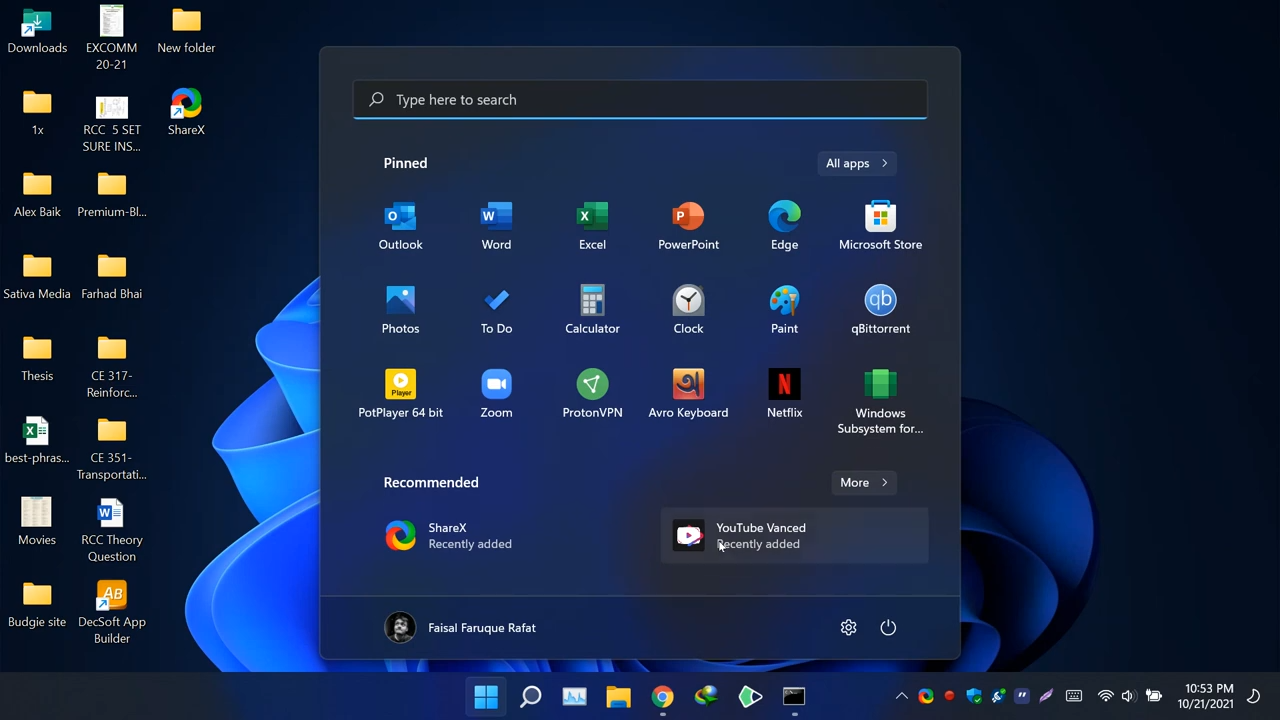
Can you use ReVanced on Windows 11 without an emulator? Yes, via Windows Subsystem for Android (WSA), though Microsoft has reduced support for WSA in some regions. If WSA is available on your system, you can sideload the ReVanced APK directly without a traditional emulator. This is the only way to install ReVanced on PC without an emulator. The WSA Windows 11 alternative requires WSA minimum requirements Windows 11: 8GB RAM, SSD, Intel i3 8th Gen or Ryzen 3000, Windows 11 build 22000.527+. For ReVanced on WSA Windows 11, the Windows Subsystem Android sideload process uses adb install from your desktop — no emulator UI required. Check if WSA available system check passes on your PC before committing to this path.
Method 9: YouTube Premium — Official Route to Watch YouTube Ad-Free Without Blockers
Best for: Users who want a guaranteed, future-proof, ToS-compliant solution.
Setup time: ~1 minute.

If you prefer to stay within YouTube’s Terms of Service and support content creators directly, YouTube Premium is the official route to watch YouTube ad-free without blockers. It is the only official ToS compliant Premium option and the guaranteed future proof solution against every ad-blocking countermeasure including SSAI.
What You Get
- Ad-free viewing across all devices — ad free viewing all devices Premium coverage.
- Background playback on mobile — background playback mobile Premium for uninterrupted audio.
- YouTube Music Premium included — YouTube Music included Premium at no extra cost.
- Downloads for offline viewing — downloads offline Premium for planes, commutes, and data saving.
Pricing in 2026
| Region | Monthly | Annual | Notes |
|---|---|---|---|
| United States | $15.99 | — | YouTube Premium price hike 2026: raised June 4, 2026 (was $13.99) |
| Premium Lite (US) | $8.99 | — | Premium Lite vs full Premium: ads remain on music videos, Shorts, browsing |
| United Kingdom | £12.99 | £129.99 (~£10.83/mo) | Annual plan discount available |
| Germany | €14.99 | €149.99 | Raised June 11, 2026 |
| Family Plan | $26.99 | — | Up to 5–6 YouTube Premium family members (~$4.50/person) |
Check youtube.com/premium for current YouTube Premium pricing by region. The youtube.com/premium rates vary significantly — this pricing table region breakdown shows the YouTube Premium annual plan UK Germany savings and the YouTube Premium family plan per person cost value. The annual plan discount YouTube makes Premium even more attractive in supported regions.
YouTube Premium vs Ad Blocker: Is Premium Worth It?
If SSAI rolls out broadly, client-side blockers may stop working entirely. In that scenario, YouTube Premium becomes the cheaper choice versus the frustration of broken workarounds. For now, free blockers still work, but Premium is the only future-proof option. When asking “is YouTube Premium worth it in 2026?”, consider that the Family Plan YouTube Premium value splits to roughly $4.50 per person — competitive with many paid ad-blocking subscriptions. Premium worth it SSAI fears make Premium the future proof only Premium choice for risk-averse users.
How to Support Creators While Blocking Ads
Yes — and if you block ads, you should. YouTube ad revenue creator support matters: YouTube shares YouTube ad revenue with creators, so blocking ads does reduce their earnings. Here are real ways to support your favorite channels without watching ads:
1. Channel Memberships
For a small monthly fee (usually $0.99–$9.99), you gain member-only perks and directly fund the creator. This is a direct alternative when comparing channel memberships vs ad blocker usage.
2. Patreon or Ko-fi
Many creators run parallel funding on Patreon or Ko-fi. This often gives you bonus content while bypassing YouTube’s revenue split entirely.
3. Merchandise
Buying creator merch is one of the highest-margin ways to support them. This is the merchandise creator highest margin support option available.
4. Whitelist Specific Channels
Most ad blockers allow you to whitelist YouTube channels. Watch ads on creators you want to support, block them everywhere else.
5. Buy Products from Sponsored Segments
If a creator recommends a product during a sponsored segment, purchasing through their affiliate links from sponsor segments directly supports their sponsorship income — which is often worth more than ad revenue.
The math: A Family Plan at $26.99/mo split across 5 members costs roughly $4.50 per person — comparable to a channel membership and cheaper than many “premium” ad-blocking subscriptions. Compare this against the YouTube Premium annual plan UK Germany rates (£129.99/€149.99) and the YouTube Premium family plan per person cost drops to roughly £2.17/€2.50 monthly — exceptional value.
Methods That No Longer Work in 2026
Do not waste time on these outdated approaches. These methods no longer work and are documented here so you can avoid them:
Changing the URL (youtube.com → youtube.com/tv)
YouTube patched this URL loophack in 2024 — the URL change patched 2024 fix killed this workaround permanently.
DNS Filtering / Pi-hole
Because YouTube serves ads from the same domains as content (googlevideo.com), DNS filtering is ineffective for YouTube. Pi-hole YouTube ads cannot be blocked because they share the same domain as video content. This DNS filtering ineffective YouTube reality means Pi-hole YouTube ads same domain blocking is impossible without breaking video playback itself.
VPN Pricing Hacks
Using a VPN to buy Premium from a cheaper region is a VPN region pricing violation of ToS and can result in account suspension. This VPN pricing hack violation is actively enforced. The VPN region pricing violation ToS team has banned accounts caught abusing regional pricing.
Old YouTube Vanced Installations
YouTube Vanced was discontinued in March 2022 after a legal cease-and-desist from Google. Existing installations are an old Vanced security risk — they no longer receive updates, lack security patches, and break as YouTube’s API changes. ReVanced is the community successor and the only safe path forward. The Vanced cease and desist March 2022 order made distribution illegal, and Vanced API changes broken by YouTube’s backend evolution render old installs increasingly unstable. ReVanced patches publicly auditable on GitHub offer transparency that Vanced never had, and while Google account restrictions rare have been reported, the ToS violation risk remains. For emulator users, note that emulator resource usage high compared to native solutions makes virtual Android device PC setups impractical for casual viewing.
Quick Comparison: Which Method Is Right for You?
This quick comparison master table breaks down every method by setup time ad blocking, sponsor skip dislike count support, Google account resource use requirements, and a best for column to guide your choice.
| Method | Setup Time | Ad Blocking | Sponsor Skip | Dislike Count | Google Account | Resource Use | Best For |
|---|---|---|---|---|---|---|---|
| Browser Extensions | 2 minutes | ✅ | ✅ | ✅ | Optional | Very Low | Most users |
| FreeTube | 5 minutes | ✅ | ✅ | ❌ | Not needed | Low | Privacy-focused users |
| Privacy Front-Ends | 1 minute | ✅ | ❌ | ❌ | Not needed | Very Low | No-install, any-device users |
| Brave Browser | 5 minutes | ✅ | With extension | With extension | Optional | Low | Zero-config seekers |
| Userscripts | 10 minutes | ✅ | With script | With script | Optional | Low | Power users |
| Media Players | 5 minutes | ✅ | ❌ | ❌ | Not needed | Very Low | Minimalist viewers |
| Network-Level Blocking | 30 minutes | ⚠️ Partial | ❌ | ❌ | Not needed | Very Low | Whole-house coverage |
| ReVanced + Emulator | 20 minutes | ✅ | ✅ | ✅ | Required | High | Mobile app fans |
| YouTube Premium | 1 minute | ✅ | ❌ | ❌ | Required | Very Low | Future-proof official route |
Community-Tested: What’s Actually Working Right Now (August 2026)
We monitor community reports from r/uBlockOrigin, r/revancedapp, r/adblock, and the Privacy Guides forums to verify which methods are holding up against YouTube’s latest detection waves.
Browser extensions: Still effective for the majority. An Android Authority ad blocker poll of 3,389 users in February 2026 found that 55% reported YouTube working just fine with their ad blocker, while 21.3% either paid for Premium or watched ads without blocking.
The “Albania VPN” workaround: Some Reddit users report that VPNing via Albania circumvents YouTube ad delivery entirely, as Google does not serve ads in that region. One user noted: “I get around YT’s anti-adblocker garbage by VPNing via Albania, where they don’t serve ads anyways.” This Albania VPN YouTube trick is community-verified but region-dependent.
Cookie-clearing bypass: Privacy Guides community members report that clearing cookies on browser shutdown temporarily circumvents detection warnings. One user stated: “I clear cookies on browser shutdown, it seems to circumvent it.”
GrayJay: A lesser-known alternative mentioned by the Privacy Guides community. One user reports: “I use GrayJay to watch YouTube and that all seems to be fine. Haven’t had any issues in a while.” This Privacy Guides GrayJay recommendation is worth exploring if you want a fresh alternative.
FreeTube on Linux: Verified by multiple forum users as consistently reliable. Reports confirm FreeTube Linux smooth sailing across distributions.
YouTube Ad Blocker Not Working? 2026 Troubleshooting Guide
If your YouTube ad blocker is not working in 2026, or you need to fix YouTube ad blocker detected warnings, check these community-verified fixes:
1. Did Chrome Kill It, or Did YouTube?
ad blocker not working three causes — starting with cause #1: if you use Chrome, the original uBlock Origin no longer runs. Switch to uBlock Origin Lite (Manifest V3) or migrate to Firefox, which still supports the full uBlock Origin with the webRequest API.
2. Update Your Filter Lists
Cause #2 of the ad blocker not working three causes: open your ad blocker’s dashboard and force-update all filter lists. YouTube pushes anti-adblock updates roughly every 6–8 weeks.
3. Clear Cache and Cookies
Cause #3: YouTube stores anti-adblock flags in cookies. Clear youtube.com cookies and refresh.
4. Try a Dedicated Extension
If uBOL fails, try AdBlock for YouTube (10M+ users, v7.2.3) or Blockify for Chrome and Edge — a dedicated YouTube blocker built specifically for YouTube and updated within 24–48 hours of anti-adblock waves. The Blockify Chrome Edge dedicated YouTube approach uses a dual-layer filter optimized for Chromium’s Manifest V3 constraints, while AdBlock for YouTube 10M users represents the largest dedicated user base on the Chrome Web Store.
5. Check for SSAI
If ads are unskippable and blockers show zero blocked requests, YouTube may be testing Server-Side Ad Insertion in your region. The only fix is YouTube Premium.
6. Use Only One Ad Blocker at a Time
Running multiple extensions or apps simultaneously makes it easier for YouTube to detect and block them. Stick to one reliable tool.
7. Hard Refresh YouTube
Press Ctrl + F5 (Windows) or Cmd + Shift + R (Mac) to clear cached scripts that may be interfering with filter rules. A hard refresh of YouTube often resolves temporary detection flags.
8. Test in Incognito/Private Mode
Open an incognito window with only your ad blocker active. This incognito mode ad blocker test isolates whether another extension or cached setting is causing the failure.
8.5. DNR Rule Count Reality Check
A 2026 benchmark of Manifest V3 blockers revealed that rule count is a misleading metric — SuperchargePerformance DNR rules 195K in size performed comparably to blockers shipping millions of rules, proving that technique matters more than volume.
9. Update Filter List Frequency (Firefox uBO Users)
As of uBlock Origin v1.54.0, the default filter list update frequency changed from 2 hours to 1 hour on Firefox — your blocker stays current against YouTube’s latest detection scripts. You do not need to change this manually anymore.
10. Disable JavaScript (Last Resort)
Some sites use JavaScript-based bait ads to detect blockers. Disabling JavaScript for YouTube ads can bypass this, but it will break YouTube’s layout and functionality. Not recommended for regular use.
Frequently Asked Questions (FAQ)
Is there a native ReVanced app for Windows or Mac?
FAQ schema target: No. This is the native ReVanced Windows Mac question we answer most often: ReVanced is an Android application. To use it on PC, you must run it inside an Android emulator or use Windows Subsystem for Android (WSA) on Windows 11. There is no .exe or .dmg.
Can I still use the original YouTube Vanced on PC?
No. The Vanced cease and desist March 2022 order from Google made continued distribution impossible. Existing installations suffer from Vanced API changes broken by YouTube’s evolving backend, creating an old Vanced security risk for anyone still running it. ReVanced is the community successor — an open source patch project with ReVanced patches publicly auditable on GitHub. While Google account restrictions rare have been reported, the ToS violation risk remains real, and a ban theoretically possible rare event cannot be ruled out entirely.
Does ReVanced have a built-in VPN?
No. There is no built in VPN in ReVanced. Neither ReVanced nor the original Vanced includes a VPN. If you need one, install a reputable third-party VPN at the operating system level.
Is using ReVanced safe?
ReVanced is safe open source auditable software. Its patches are publicly auditable. However, because it modifies the official YouTube app, it violates YouTube’s Terms of Service. Your Google account could theoretically face restrictions, though this is rare. We recommend using a secondary Google account inside emulators.
Can you get banned for using ReVanced?
The ban theoretically possible rare reality: theoretically possible but rare. Google has not mass-banned ReVanced users, but ToS violation remains a risk. Use a secondary account for peace of mind.
Do I need microG for ReVanced in an emulator?
microG sign in emulator question: only if you want to sign in with a Google account to sync subscriptions. If you use ReVanced without signing in, microG is unnecessary.
What is the best emulator for ReVanced?
The best emulator LDPlayer BlueStacks debate has a clear answer for most users: LDPlayer is generally the most resource-efficient for running ReVanced, while BlueStacks is the easiest for beginners. Test both to see which performs better on your specific hardware.
Can I use ReVanced on Windows 11 without an emulator?
Windows 11 WSA yes — yes, via Windows Subsystem for Android (WSA), though Microsoft has reduced support for WSA in some regions. If WSA is available on your system, you can sideload the ReVanced APK directly without a traditional emulator.
Does Brave block YouTube ads?
Brave block ads yes — yes, Brave’s built-in Shields block standard YouTube pre-roll and mid-roll ads. However, Brave does not skip in-video sponsor segments without the SponsorBlock extension.
Why is my ad blocker not working on YouTube?
The ad blocker not working three causes are: (1) You are on Chrome with the disabled original uBlock Origin — switch to uBOL or Firefox; (2) Your filter lists are outdated — update them; (3) YouTube is testing SSAI in your region — consider Premium.
How do I get the dislike count back on YouTube in 2026?
To dislike count back extension seekers: install the Return YouTube Dislike browser extension. It is available for Chrome, Firefox, and Edge. FreeTube also displays dislike counts natively.
What is the best browser for YouTube without ads?
The best browser Firefox uBO combination wins for power users. Firefox with the original uBlock Origin offers the deepest blocking. Brave is the best zero-config choice. Chrome users should use uBlock Origin Lite or a dedicated YouTube blocker like Blockify.
Is YouTube Premium worth it vs a free ad blocker?
Premium worth it guaranteed if you value zero-maintenance ad removal. If you want guaranteed, hassle-free ad removal across all devices and future-proofing against SSAI, YouTube Premium is worth it. If you only watch on PC and accept occasional troubleshooting, free blockers are sufficient.
What are privacy front-ends like Invidious and Piped?
Privacy front-ends are intermediary web services that fetch YouTube content on your behalf, strip ads and trackers, and serve you a clean page. They require no installation and work on any device with a browser. The trade-off is that public instances can be slower than direct YouTube access and may lack comments or live chat.
Can userscripts replace browser extensions for ad blocking?
Userscripts can block ads on YouTube when paired with a manager like Tampermonkey, but they are generally less reliable than dedicated extensions like uBlock Origin Lite. Userscripts excel at UI customization and behavior tweaks (theater mode, speed controls, layout changes) rather than pure ad blocking. For most users, browser extensions are the better first choice; userscripts are for power users who want deep customization.
Does VLC or MPV block YouTube ads?
Yes. When you stream a YouTube URL through VLC or MPV + yt-dlp, you are bypassing YouTube’s web player entirely. The video stream is extracted and played directly, so no web-based ads load. The downside is that you lose comments, recommendations, subscriptions, and playlists — these tools are best for watching specific videos, not browsing.
Can Pi-hole or AdGuard Home block YouTube ads?
Partially. DNS-level blockers like Pi-hole and AdGuard Home are excellent for blocking ads on most websites, but YouTube serves in-video ads from the same domains as the videos themselves (googlevideo.com). Because DNS blockers operate at the domain level, they cannot distinguish ads from content on those shared domains without breaking video playback. They work well for YouTube banner ads and trackers, but for in-video ads, browser extensions remain necessary.
Final Thoughts: YouTube Premium vs Ad Blocker — Which Should You Choose?
For PC users in 2026, the best ad-free YouTube experience is almost always browser extensions, FreeTube, or privacy front-ends for no-install convenience. They are native, lightweight, and require no emulation overhead. This final thoughts browser extensions FreeTube recommendation holds for 90% of readers.
ReVanced remains the gold standard for Android devices — the gold standard Android ReVanced experience — and if you want that exact mobile experience on your PC, an emulator is your only option — just know what you’re getting into. For PC users, the emulator only option PC path is functional but resource-heavy. If you are ready to patch your own YouTube app — the definitive way to patch own YouTube app — download the latest ReVanced Manager and patches from our site below.
Download ReVanced Manager — Latest patches for Android, updated regularly.
Looking for the latest? Our download ReVanced Manager link above always points to the latest patches Android updated for the current YouTube version.
About the Author
The ReVanced Editorial Team maintains up-to-date guides on open-source YouTube modifications. All recommendations are tested on current hardware and software configurations as of August 2026. We track the Manifest V3 transition, SSAI developments, and anti-adblock updates to keep this guide accurate.
How We Verify Methods: We test every method on current hardware (Windows 11, macOS 14, Ubuntu 24.04) with updated browsers and extensions as of August 2026. We cross-reference our findings with community reports from r/uBlockOrigin, r/revancedapp, and the Privacy Guides forums. When a method breaks, we update this guide within 48 hours.
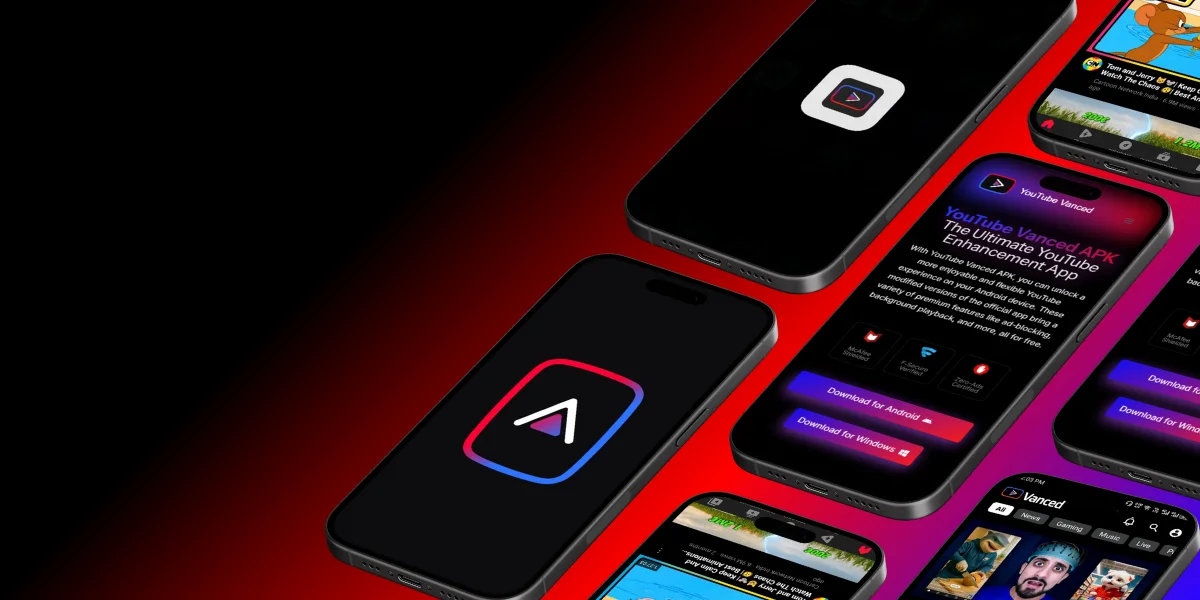
Ready to Watch YouTube Ad-Free?
Download the latest ReVanced Manager and enjoy an uninterrupted YouTube experience on your PC through Android emulation.