August 13, 2026
Best YouTube Vanced Alternatives
for iOS in 2026
YouTube Vanced is dead and never existed for iPhone. In 2026, the only way to get ad-free YouTube with background playback on iOS is through community sideloaded apps like uYouEnhanced, YTLitePlus, and YTKillerPlus.
⚡ Quick Answer
Is YouTube Vanced available for iPhone? No. YouTube Vanced was an Android-only modification shut down permanently in March 2022. For iPhone and iPad users, the only way to get an ad-free, background-playback YouTube experience in 2026 is through community-maintained sideloaded apps like uYouEnhanced, YTLitePlus, and YTKillerPlus. These require free tools like AltStore or SideStore to install.
News Update (Feb 2026): Google officially closed the last major free loophole for iOS users, updating the mobile web experience to cut off audio when you lock the screen. Sideloaded apps are now the only free method to listen to YouTube with your screen off on iPhone.
Not on iOS? Android users can explore ReVanced, and desktop users can check out our guide to ReVanced for PC.
What Happened to YouTube Vanced?
Understanding why Vanced disappeared helps explain why iOS alternatives work the way they do.
YouTube Vanced was a modified Android app that blocked ads, enabled background playback, and added SponsorBlock integration. In March 2022, the Vanced team received a cease-and-desist letter from Google and immediately stopped development and distribution.
For a side-by-side look at how it differed from the stock app, see our YouTube Vanced vs Official YouTube breakdown.
- March 2022: Development halted; download links removed.
- April 2023: Core playback functionality broke for many users.
- March 2024: Vanced MicroG stopped working entirely, rendering the app useless.
For the complete post-shutdown timeline, see our YouTube Vanced latest updates page.
Vanced was never built for iOS. The iOS ecosystem’s closed nature and stricter code-signing requirements made a direct port impossible. However, independent developers created similar tools for iPhone and iPad.
Android users have moved to ReVanced as the primary successor. Read our YouTube Vanced vs ReVanced comparison for the full picture.
Methods That No Longer Work in 2026
Do not waste your time on these dead or incompatible tools.
| Method | Status | Why It Failed |
|---|---|---|
| YouTube Vanced | Dead | Cease-and-desist in 2022; playback broke 2023; MicroG died 2024 |
| Cercube | Discontinued | Server errors on all downloads; last meaningful update years ago |
| YT++ | Abandoned | No updates in years; community moved to uYouPlus/YTLitePlus |
| Cydia | Obsolete | No public jailbreak for iOS 16+ |
| TrollStore on iOS 17.1+ | Incompatible | Only works on iOS 14.0–17.0; patched in iOS 17.1 and later |
| ReVanced for iOS | Does Not Exist | ReVanced is an Android-only patching framework; any “iOS build” is malware |
Top 4 YouTube Vanced Alternatives for iOS
These are the only actively maintained projects that deliver an ad-free YouTube experience on iPhone and iPad in 2026.

Choose Your App in 30 Seconds
Feature Comparison
| Feature | uYouEnhanced | YTLitePlus | YTKillerPlus | YouTube Premium |
|---|---|---|---|---|
| Price | Free | Free | Free | $15.99/mo |
| Ad Blocking | ✅ | ✅ | ✅ | ✅ |
| Background Playback | ✅ | ✅ | ✅ | ✅ |
| Picture-in-Picture | ✅ | ✅ | ✅ | ✅ |
| SponsorBlock | ✅ | ✅ | ❌ | ❌ |
| Return Dislike | ✅ | ✅ | ❌ | ❌ |
| Video Downloads | ✅ (iOS 18 buggy) | ✅ | ✅ | ✅ |
| App Store Install | ❌ | ❌ | ❌ | ✅ |
| Re-signing Required | ✅ (7 days free) | ✅ (7 days free) | ✅ (7 days free) | ❌ |
| iOS Compatibility | iOS 16.0+ | iOS 15.0+ | iOS 15.0+ | iOS 14.0+ |
| Battery / Heat | Warm on older devices | Cool | Cool | Native |
| Pre-built IPA | ❌ (DMCA) | ✅ | ✅ | N/A |
System Requirements
| Requirement | Specification |
|---|---|
| Device | iPhone or iPad |
| iOS Version | iOS 16.0+ for uYouEnhanced; iOS 15.0+ for YTLitePlus & YTKillerPlus |
| Storage | ~120 MB for the IPA file |
| Computer | macOS or Windows PC (for AltStore/SideStore initial setup) |
| Apple ID | Free Apple ID (sideloading) or $99/year Developer Account (no re-signing) |
| Network | Wi-Fi required for installation and re-signing |
How to Install uYouEnhanced on iOS
Step-by-step installation using the most reliable methods available in 2026.
⚠️ iOS 26 Update Caution
Free sideloading setups are fragile. iOS 26.4 and 26.5 updates broke SideStore and LiveContainer for many users until developers patched the tools. If you rely on sideloaded YouTube, wait 48–72 hours after a new iOS release before updating, and follow the r/sideloaded community for real-time compatibility reports.
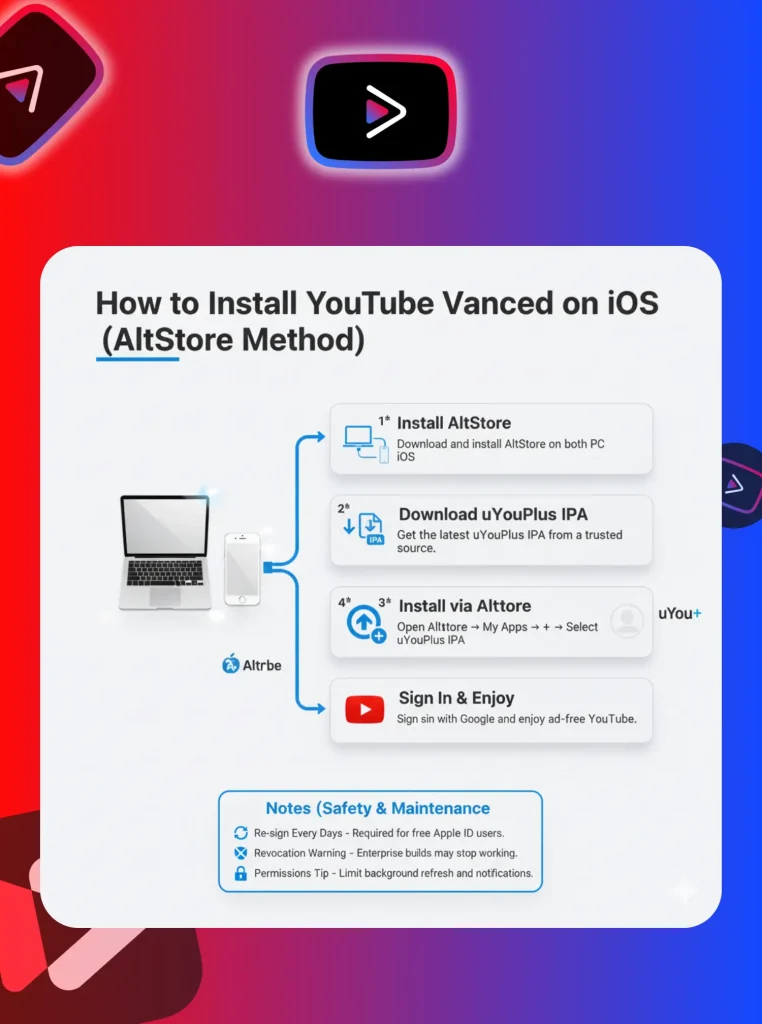
Method 1: AltStore (Most Reliable)
- Download AltServer
Install AltServer on your Mac or Windows PC from the official website.
- Install AltStore on Device
Connect your iPhone/iPad to your computer with a USB cable. Install AltStore onto your device via AltServer.
- Trust Your Profile
On your iPhone, go to Settings → General → VPN & Device Management and trust your Apple ID profile.
- Get the IPA
Download the latest uYouEnhanced.ipa from the official GitHub releases page. You may need to build it via GitHub Actions if no pre-built IPA is attached.
- Sideload the App
Open AltStore on your iPhone. Tap “My Apps” → “+” icon → select the downloaded IPA. Wait for installation.
- Sign In
Once complete, open uYouEnhanced and sign in (see Google Sign-In Bug fix below).
🇪🇺 EU Users — Good News
If you’re in the European Union, you can install AltStore PAL directly from Safari with no computer required. It installs as an official alternative app marketplace under the Digital Markets Act. You must be physically in the EU, using an EU App Store account, and on iOS 17.4+.
Method 2: SideStore (No Computer After Setup)
SideStore is a fork of AltStore that allows wireless refreshing without needing your computer on the same network after initial setup.
- Install SideStore
Install SideStore via the official guide using a wired connection first.
- Download the IPA
Get the latest uYouEnhanced IPA from GitHub.
- Sideload
Open SideStore, tap “+”, and select the IPA.
- Enable JITless Mode
Enable SideStore’s JITless mode if prompted.
- Refresh Wirelessly
Refresh wirelessly before the 7-day certificate expires.
Method 3: On-Device Signers (Esign / Feather)
If you cannot use a computer, tools like Esign or Feather can sign IPAs directly on your iPhone using your Apple ID credentials. These are convenient but require you to trust the signer app itself.
⚠️ Security Warning
Only download Esign or Feather from their official repositories. Never enter your Apple ID into unverified signing tools.
Method 4: TrollStore (Permanent Install, Limited Devices)
TrollStore allows permanent installation (no re-signing) but is only compatible with specific iOS versions, primarily up to iOS 17.0. It does not work on iOS 17.1+ or iOS 18.
Check your iOS version in Settings → General → About. If you are on a supported version, follow the TrollStore guide.
Installing YTLitePlus & YTKillerPlus
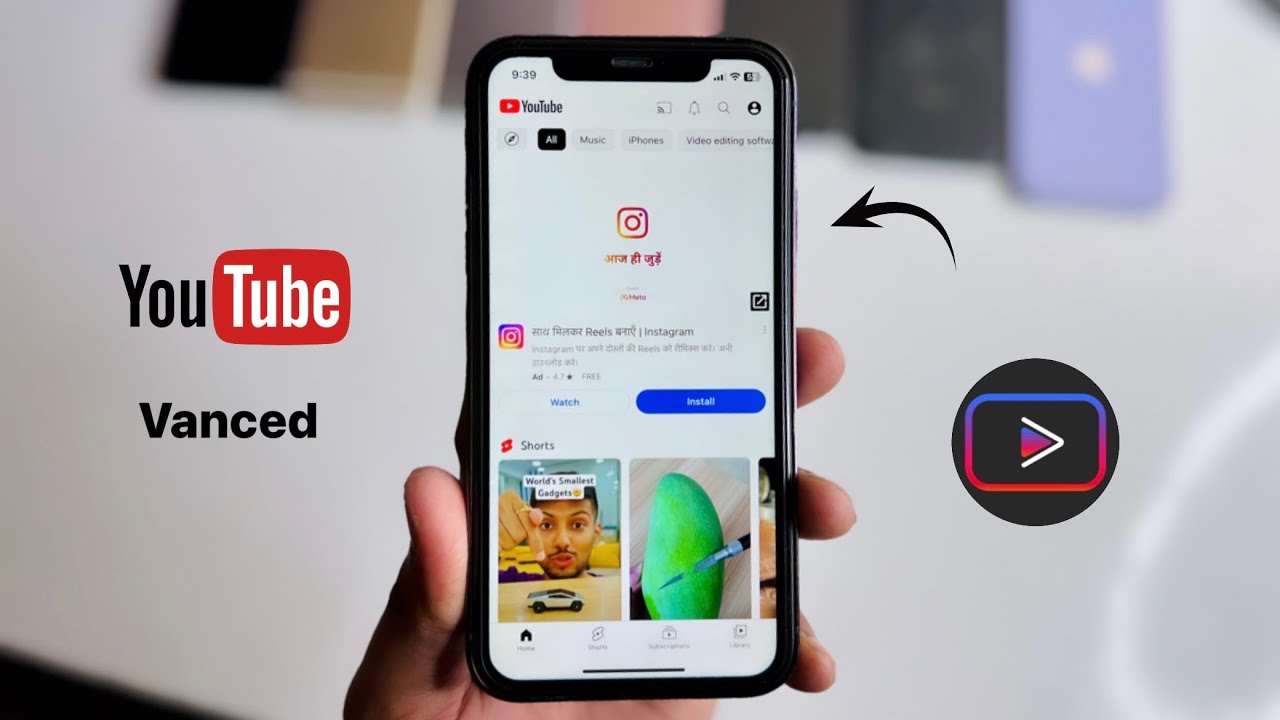
YTLitePlus Installation
The process is identical to uYouEnhanced:
- Download the latest YTLitePlus.ipa from GitHub.
- Install via AltStore, SideStore, or your preferred sideloading method.
- Trust the developer profile in Settings.
- Open the app and sign in.
YTLitePlus generally has fewer Google sign-in issues than uYouEnhanced.

YTKillerPlus Installation
- Download the latest YTKillerPlus.ipa from its official source or trusted community repository.
- Install via AltStore, SideStore, Esign, or Feather.
- Trust the developer profile.
- Launch and sign in.
YTKillerPlus is reported to have the smoothest first-launch experience of the three alternatives.
Google Sign-In Bug: How to Fix It
Google actively blocks modified YouTube apps from using the native sign-in popup. Here are three workarounds.
Alternative Installation Methods
| Method | Requires Computer | Re-signing | Best For |
|---|---|---|---|
| AltStore | Yes (initial) | Every 7 days | Beginners |
| SideStore | Yes (initial) | Every 7 days (wireless) | Users who want wireless refresh |
| Esign | No | Every 7 days | No-computer setups |
| Feather | No | Every 7 days | Modern UI, on-device signing |
| TrollStore | No | Never | Lucky users on iOS 14.0–17.0 |
| LiveContainer | No | N/A | Running apps inside a container |
The 3-App Limit & LiveContainer
The 3-App Limit: Free Apple IDs can only have 3 sideloaded apps active simultaneously. If you want Delta emulator, uYouEnhanced, and Spotify++, you’re already at your limit.
💡 Solution: LiveContainer
This tool lets you run multiple apps inside a single slot. You can install uYouEnhanced, YTLitePlus, and other apps all within LiveContainer, counting as only one sideloaded app. It also supports multitasking (running two apps side-by-side on iPad) and iOS 26 Liquid Glass UI.
How to Use LiveContainer
- Install LiveContainer
Install LiveContainer via AltStore or SideStore (uses 1 app slot).
- Import IPAs
Open LiveContainer and import your IPA files.
- Launch Apps
Launch YouTube mods from within LiveContainer.
- Refresh
Refresh LiveContainer itself every 7 days; the apps inside inherit its certificate.
Safety, Legal & Ethical Considerations

Security Risks
- No App Store review: These apps bypass Apple’s security screening. Only download IPAs from official GitHub release pages.
- Certificate revocations: Apple occasionally revokes sideloaded app certificates, causing the app to crash on launch until you reinstall.
- Data privacy: Modified apps can theoretically access your YouTube watch history and search data. Use a dedicated Google account if concerned.

Legal & Terms of Service
- YouTube ToS violation: Ad blocking and background playback without Premium violate YouTube’s Terms of Service. While account bans are rare for viewing-only users, they are theoretically possible.
- DMCA / Copyright: Downloading videos may violate copyright law depending on your jurisdiction and usage. This guide is for educational purposes.
Ethical Consideration
Ad blocking deprives creators of revenue. If you use these tools, consider supporting your favorite creators directly via Patreon, channel memberships, or merchandise.
Troubleshooting Common Issues
| Issue | Cause | Solution |
|---|---|---|
| “Untrusted Developer” alert | Profile not trusted | Settings → General → VPN & Device Management → Trust your Apple ID |
| App crashes on launch | Certificate expired/revoked | Reinstall via AltStore/SideStore or refresh the certificate |
| Google sign-in loop | Google’s anti-mod security | Use browser sign-in or an App-Specific Password |
| PiP not working | iOS setting disabled | Settings → General → Picture in Picture → toggle ON |
| Downloads fail | iOS 18 bug or entitlement issue | Try YTLitePlus instead; or use Safari-based downloaders |
| App stops opening after 7 days | Free Apple ID certificate expired | Refresh in AltStore or use a paid Developer Account |
| Background audio stops | iOS killed the app | Disable Low Power Mode; allow Background App Refresh |
| iPad fullscreen crash | uYouEnhanced bug with Playback Speed Controls | Turn off Playback Speed Controls in uYou Settings |
| Hide Community Posts breaks feed | uYouEnhanced known bug | Keep this toggle OFF |
| App icon changing broken | uYouEnhanced feature currently non-functional | Wait for a future update |
Real-World Test Results (August 2026)
| Device | iOS Version | App Tested | Result |
|---|---|---|---|
| iPhone 15 Pro | iOS 18.6 | uYouEnhanced v21.02.3 | ✅ Works, sign-in via browser |
| iPhone 14 | iOS 18.6 | YTLitePlus | ✅ Works, downloads functional |
| iPad Air M2 | iOS 18.6 | uYouEnhanced | ⚠️ Fullscreen crash (known bug) |
| iPhone 13 | iOS 18.5 | uYouEnhanced | ⚠️ Runs warm after 30 min |
| iPhone SE (2022) | iOS 18.4 | YTLitePlus | ✅ Smooth, no heat |
Frequently Asked Questions
Final Verdict
YouTube Vanced is gone and never existed for iOS. In 2026, uYouEnhanced offers the closest experience for power users who want SponsorBlock, Return YouTube Dislike, and deep customization. YTLitePlus is the better choice if you prioritize stability and battery life. YTKillerPlus is the community’s pick for the most crash-free experience. All three require sideloading and carry minor security and ToS risks.
For users who want zero hassle and full peace of mind, YouTube Premium ($15.99/month) remains the best legitimate option. If you only need ad-free video without background play or downloads, YouTube Premium Lite ($8.99/month) is the cheapest official route.
Android users interested in a modified Premium experience can also explore our YouTube Premium mod guide.
Ready to Ditch the Ads?
Pick your app, follow the guide, and enjoy ad-free YouTube on your iPhone in under 30 minutes.
Join thousands of iOS users who already made the switch.